What Is a Wu-Tang Name Generator? (And How to Build One)
Introduction: From Wu-Tang Names to Your Own Wu-Tang Name Generator
If you’ve ever typed your name into a “Wu-Tang name generator” and laughed at the result, you already understand the power of simple, playful tools.
They’re lightweight, easy to use, and surprisingly memorable. Many people still remember the rapper who famously got his “Childish Gambino” name from a Wu-Tang generator.
In this guide, you’ll not only learn what a Wu-Tang Name Generator actually is, but also how to make a name generator of your own—using practical logic, smart data, and engaging UX. You don’t need to be a hardcore developer. You just need clear steps and a bit of creativity.
Quick TL;DR
- A Wu-Tang name generator is a themed nickname tool that mixes your input (like your real name) with curated word lists and patterns to create fun alter egos.
- To build one, first define the theme and personality: hip-hop, fantasy, brandable startup names, gamer tags, etc.
- Your generator’s quality depends on good name data (word lists, syllables, templates) and simple validation rules (length, readability, uniqueness).
- Use generator logic with filters, constraints, and optional scoring to avoid boring or broken results.
- Add engaging UX features like “Regenerate,” “Copy,” “Favorite,” and “Share” to keep people playing with your tool.
- For SEO, optimize around your primary intent (e.g., “Wu-Tang name generator”) with clear on-page text, FAQs, and internal consistency.
- Avoid common mistakes like tiny data sets, no filters, and confusing interfaces; fix them with better lists, rules, and microcopy.
What Is a Wu-Tang Name Generator, Really?
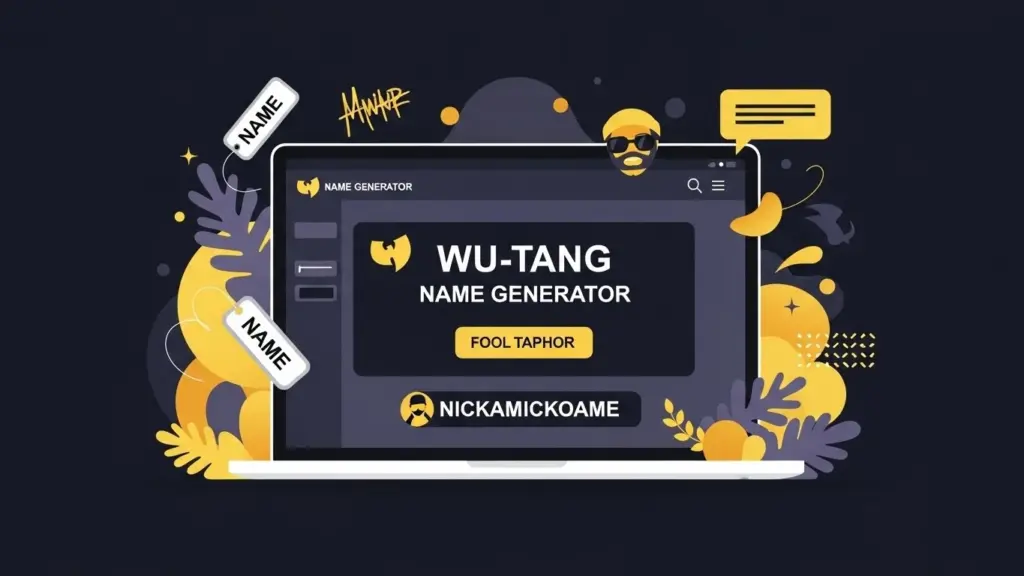
A Wu-Tang name generator is a themed nickname generator inspired by the Wu-Tang Clan’s style: slightly wild, often funny, and rooted in hip-hop culture.
The classic version usually asks for your real name and spits out a nickname like “Mysterious Samurai” or “Ruthless Master.” It feels random, but under the hood it relies on:
- A list of adjectives and nouns that match the theme
- Simple patterns, such as
Adjective + Noun - Very light logic based on your input (like the letters or length of your name)
Your goal isn’t to clone it exactly. Instead, you want to adapt the idea: themed, fun, and surprisingly “fitting” names based on user input.
If you’re learning how to make a name generator, this is a perfect first project. It’s simple, yet it teaches you about data, logic, and user experience.
Step-by-Step: How to Make a Name Generator Like Wu-Tang
4.1 Define Your Theme and Personality
Before touching any code or spreadsheets, decide what kind of names you’re creating.
Ask yourself:
- Are these hip-hop style nicknames, like the original Wu-Tang generator?
- Or fantasy characters, startup brands, gamer tags, or pet names?
- Should the tone be serious, silly, dark, cute, or professional?
Write down a short “style guide”:
- 3–5 adjectives that describe the vibe (e.g., gritty, street, playful).
- Words you’ll avoid (e.g., swearing, offensive terms).
- Typical length and structure (e.g., 2 words, 10–16 characters total).
This guide will drive every later decision: word lists, templates, and filters.
4.2 Collect and Structure Your Name Data
Next, build your data foundation. For a Wu-Tang-style generator, you might have:
- A list of adjectives: “Mysterious,” “Ruthless,” “Silent,” “Golden”
- A list of nouns: “Samurai,” “Monk,” “Master,” “Assassin”
- Optional syllables for more experimental names
Store these in a simple, structured format:
- A spreadsheet (
CSVwith columns likeword,type,tone) - Or arrays/JSON in your code (
adjectives[],nouns[])
Make sure each list is:
- Clean (no duplicates, obvious typos, or NSFW words unless you intend them)
- On-theme (everything fits your chosen style)
- Big enough (at least 50–100 items per category for variety)
4.3 Design Basic Templates and Patterns
Now you need patterns—the shapes the names can take. For example:
Adjective + Noun→ “Ruthless Master”The + Adjective + Noun→ “The Silent Monk”Noun + of + Place→ “Monk of Brooklyn” (if you allow places)
Think of templates as sentences with blanks:
{{ADJ}} {{NOUN}}The {{ADJ}} {{NOUN}}{{NOUN}} {{NOUN}}(e.g., “Shadow Tiger”)
Create a small set of core templates (3–7 to start). Too many patterns can be harder to manage at first.
4.4 Implement Simple Generation Logic
With data and templates ready, you can implement basic logic:
- Choose a template at random.
- For each placeholder (
{{ADJ}},{{NOUN}}), pick a random item from the corresponding list. - Plug them into the template to build a candidate name.
If you want the generator to feel more “personal,” you can lightly tie it to user input:
- Use the first letter of their real name to bias word choices.
- Use the name length to decide whether to add “The” or not.
- Convert letters to numeric values and map to list indexes.
Start simple first, then layer in personalization.
4.5 Add Filters and Quality Checks
Not every random combination will be good.
You need minimal filter rules, such as:
- Maximum and minimum length (characters and words)
- Avoid repeating the same word twice in a row
- Avoid combinations that form unwanted words or slurs
- No leading/trailing spaces or double spaces
If a generated name fails your checks, just generate another one until it passes or you hit a maximum number of tries.
4.6 Test, Tweak, and Refine
Once your first version works:
- Run it many times and copy down sample outputs.
- Look for patterns: too many similar names? Too long? Too short?
- Adjust:
- Add or remove words from lists
- Tune templates
- Tighten or relax filters
Ask a few friends to try it and watch how they use it. Notice where they hesitate or get bored, and improve from there.
Name Data & Patterns: The Core of Your Generator
5.1 Source Lists, Syllables, and Adjectives
Quality output starts with quality input.
You can build your lists from:
- Existing vocab lists and then manually select on-theme words
- Your own brainstorming sessions
- User feedback (e.g., allow users to suggest new words)
Organize your data into types:
adjectives: “Silent,” “Ancient,” “Electric,” “Wild”nouns_person: “Monk,” “Assassin,” “Warrior,” “Prophet”nouns_object: “Blade,” “Scroll,” “Mask”modifiersorprefixes: “Ghost,” “Shadow,” “Iron”
For more advanced generators, also keep:
- Syllables like “sha,” “zan,” “dri,” “kun” to build invented names.
- Tags like
dark,light,urban,mysticfor more control.
5.2 Create Pattern Templates
Your patterns should reflect your theme. Some examples:
- Hip-hop / Wu-Tang style
{{ADJ}} {{NOUN_PERSON}}→ “Ruthless Prophet”The {{ADJ}} {{NOUN_OBJECT}}→ “The Silver Blade”
- Fantasy
{{NOUN_PERSON}} of {{PLACE}}{{PREFIX}}-{{NOUN_OBJECT}}
- Gamer tags
{{ADJ}}{{NOUN_OBJECT}}(no space)xX{{NOUN_PERSON}}Xx
Keep a pattern library in your code with human-readable labels so you can quickly enable/disable patterns that perform poorly.
5.3 Validate and Clean Candidate Names
To keep your generator respectable and usable, validate every candidate name.
Typical checks include:
- Length: Total characters between, say, 8 and 24.
- Readability: Avoid too many repeated letters (“Sssshadow”).
- Blacklist: Reject any names that match disallowed words.
- Duplicates: Avoid repeating names generated in the same session.
You can implement these checks in a separate function that returns true/false for each candidate. This keeps your generator logic clean and easy to tweak.
Generator Logic: Filters, Constraints, and Scoring
6.1 Basic Logic Flow
A simple but effective logic flow:
- Choose template (random or based on user input).
- Fill slots with random list items.
- Apply filters (length, blacklist, duplicates).
- If it fails, try again with a different combination.
- Optionally, score the name and keep the highest-scoring ones.
Scoring is not required, but it helps when you want to show the “best” 3–5 names instead of just one random one.
6.2 Example Code Snippet (JavaScript)
Below is a simplified JavaScript example that:
- Uses adjectives and nouns
- Generates a name from a pattern
- Filters out weak results
const adjectives = ["Silent", "Ruthless", "Ancient", "Golden", "Wild"];const nouns = ["Monk", "Samurai", "Master", "Assassin", "Prophet"];const templates = [ "{{ADJ}} {{NOUN}}", "The {{ADJ}} {{NOUN}}"];// Very basic blacklist exampleconst blacklist = ["Assassin"]; // maybe you don't want this wordfunction isValidName(name) { if (name.length < 8 || name.length > 24) return false; for (const bad of blacklist) { if (name.includes(bad)) return false; } return true;}function fillTemplate(template) { const adj = adjectives[Math.floor(Math.random() * adjectives.length)]; const noun = nouns[Math.floor(Math.random() * nouns.length)]; return template .replace("{{ADJ}}", adj) .replace("{{NOUN}}", noun);}function generateWuTangName(maxTries = 20) { let tries = 0; while (tries < maxTries) { const template = templates[Math.floor(Math.random() * templates.length)]; const candidate = fillTemplate(template); if (isValidName(candidate)) { return candidate; } tries++; } return "Nameless Warrior"; // fallback}// Example usage:console.log(generateWuTangName());You can easily extend this to:
- Use user input (e.g., seed based on the person’s name)
- Add scoring (e.g., penalize certain letters or reward specific patterns)
- Return multiple names in one call
6.3 Scoring and Ranking for Better Results
Scoring helps you rank names rather than just accept the first valid one.
You might:
- Add points for:
- Having exactly two words
- Using certain “strong” words
- Matching the user’s initials
- Subtract points for:
- Being too long/short
- Containing repeated letters or awkward consonant clusters
Generate, say, 20 candidates, score each one, then keep the top 3–5 to display.
Comparing Generation Approaches: Which One Should You Use?
Here’s a quick comparison of common approaches you might consider while learning how to make a name generator:
| Approach | How It Works | Pros | Cons | Best For |
|---|---|---|---|---|
| Simple List-Based | Randomly picks from fixed word lists | Easy to build, fast, very predictable | Can feel repetitive, limited personalization | Wu-Tang-style nicknames, quick prototypes |
| Template-Based | Uses patterns like {{ADJ}} {{NOUN}} |
More structure, more control, on-brand | Still limited by list size and quality | Themed generators (fantasy, brands, etc.) |
| Syllable-Based | Combines custom syllables into new names | Inventive, can create unique new words | Harder to control readability and meaning | Fantasy names, alien words |
| Markov Chains | Learns patterns from sample names | Mimics style of existing names naturally | More complex, can still produce nonsense | Imitating real-world styles (e.g., surnames) |
| Hybrid (Template+Score) | Templates + scoring filters | High control, can tune to taste | More logic to maintain | Polished, production-grade generators |
For a Wu-Tang-style project aimed at beginners, a template-based or simple list-based approach is usually the best starting point.
UX Features That Keep People Playing With Your Tool
8.1 Essential Interaction Features
Good UX turns a one-time visit into many.
Consider adding:
- “Generate” / “Regenerate” button: Clear label, big enough to tap.
- Copy to clipboard: A small “Copy” button or icon next to each name.
- Show multiple results at once: Instead of one name, show 3–10 options.
Also, give instant feedback when someone clicks “Generate” (e.g., a slight animation or text like “Summoning your Wu-Tang alter ego…”).
8.2 Microcopy and Playful Feedback
The right words around your tool make it much more engaging.
Examples:
- Placeholder text: “Type your real name… if you dare.”
- Button text: “Generate My Wu-Tang Name”
- Empty state: “No name yet. Hit ‘Generate’ to discover your alter ego.”
Keep microcopy short and on-theme, and use it to guide new users who may not understand what to do.
8.3 Saving, Sharing, and Exporting
To keep users engaged and to encourage organic sharing:
- Allow users to “Favorite” names (e.g., a heart icon).
- Add social share buttons (X/Twitter, Facebook, messaging links).
- Offer simple export:
- Copy as text
- Download as a small image (e.g., name over a themed background) if feasible
These features turn your generator from a one-off joke into a small brandable tool people share with friends.
SEO Strategy for Your Name Generator Page
9.1 On-Page Optimization and Intent
Your primary keyword might be something like “Wu-Tang name generator,” but you also want to target related searches, like:
- “rap name generator”
- “hip hop nickname generator”
- “how to make a name generator” (for supporting content)
On your main tool page:
- Use a clear H1: “Wu-Tang Style Name Generator”
- In the first 1–2 paragraphs, naturally mention what the tool does, who it’s for, and its theme.
- Add supporting headings (H2/H3) explaining:
- How it works
- Examples of generated names
- FAQs
Match the search intent:
- If someone types “Wu-Tang name generator,” they want a working tool, not just an article.
- Put the generator above the fold (visible without scrolling).
- Keep the explanatory content below or alongside it.
9.2 Content Around the Tool and FAQs
Support your generator with text that:
- Explains how the names are created (in simple terms).
- Answers common questions (see FAQ section below).
- Includes example names to show variety.
Use related keywords naturally in headings and body text. Avoid stuffing; instead, write in a way that is genuinely helpful to someone curious about the theme or learning how to make a name generator.
Common Mistakes (And How to Fix Them)
1. Tiny word lists
- Problem: The generator feels repetitive after a few clicks.
- Fix: Expand your lists to at least 50–100 entries per category, and prune words that don’t fit the theme.
2. No filters or validation
- Problem: You get weird spacing, extremely long results, or inappropriate combinations.
- Fix: Add length limits, a blacklist, and simple checks to reject bad names.
3. Confusing UI
- Problem: Users don’t know what to do first or what input is optional.
- Fix: Use clear labels, short instructions, and friendly placeholder text.
4. Tool buried under content
- Problem: Visitors land on a long article but can’t find the actual generator.
- Fix: Put the tool first, then supporting explanation underneath.
5. Overcomplicated logic too early
- Problem: You try to implement advanced models or complex patterns before the basics work.
- Fix: Start with simple list + template logic, then add complexity step by step.
6. Ignoring mobile users
- Problem: Buttons are too small, layout breaks on phones.
- Fix: Make sure buttons are large and tappable, test your site on multiple screen sizes.
Launch Checklist: Are You Ready to Go Live?
Use this checklist before launching your Wu-Tang-style name generator:
- Theme defined (style, tone, words to avoid documented)
- Word lists prepared (adjectives, nouns, syllables as needed, cleaned and on-theme)
- Templates created (at least 3–7 solid patterns tested)
- Basic filters implemented (length, blacklist, duplicate checks)
- Generator tested with at least 50–100 sample outputs reviewed
- Core UX complete (Generate/Regenerate, Copy, show multiple results)
- Mobile layout tested on at least one phone and one tablet
- SEO basics (title tag, meta description, H1, short intro) in place
- FAQs added below the tool to answer common questions and capture long-tail queries
- Analytics installed (to see how many people use the tool and which features they click)
If you can tick every box, you’re in a strong position to launch.
FAQ
1. What exactly is a Wu-Tang name generator?
It’s a themed nickname generator inspired by the Wu-Tang Clan’s style. You enter your name (or other inputs), and it returns a playful hip-hop style alias, usually built from curated lists of adjectives and nouns.
2. Do I need to know how to code to make a name generator?
Basic coding skills help, but you can start with spreadsheets and simple scripts. Even if you’re non-technical, collaborating with a developer or using basic JavaScript snippets (like the one above) can get you very far.
3. How big should my word lists be?
Aim for at least 50–100 entries per category (e.g., adjectives, nouns) for a public tool. The bigger and more curated your lists, the more variety and quality your generator can offer.
4. How do I keep names from being offensive?
Create a blacklist of banned words and regularly review your word lists. You can also add checks to catch certain patterns and have a “Report this name” button to gather real user feedback.
5. Can I personalize names using user data?
Yes. You can use name length, initials, or even favorite color/animal inputs to influence which words or templates you select. Just keep it light and transparent so users know what’s happening with their data.
6. What’s the easiest way to start if I’m a beginner?
Begin with a simple list-based + template system. Implement a small JavaScript function that picks random words, stitches them into a pattern, and shows the result on a web page.
7. How do I make my name generator rank on Google?
Make sure your main page has a clear title, H1, and short explanation of what the tool does. Place the tool above the fold, add FAQs, and write helpful content that matches what people are actually searching for (e.g., “Wu-Tang name generator,” “rap name generator”).
8. How can I keep users engaged longer?
Offer multiple names per click, provide a “Regenerate” button, and let users favorite or share results. Add playful microcopy and maybe a small leaderboard or gallery if you want to go further.
9. Can I use this approach for other themes (not Wu-Tang)?
Absolutely. The same structure works for fantasy characters, pet names, startup brands, gamer tags, and more. You just swap in different word lists, templates, and microcopy that fit the new theme.
10. Is it okay to show ads on a name generator page?
Yes, as long as they don’t overwhelm the tool. Keep ads away from the main interaction area and make sure the generator still feels fast and fun to use.
Conclusion & Next Steps
A Wu-Tang name generator looks like a simple gimmick, but building one teaches you real skills: structuring data, designing patterns, writing logic, and crafting engaging UX.
If you follow the steps in this guide—define your theme, build strong word lists, create useful templates, add filters, and polish the interface—you’ll end up with a practical name generator that people actually enjoy using and sharing.
Your next steps:
- Draft your theme and style guide in a simple document.
- Build your first word lists and basic templates.
- Implement the simple JavaScript generator and filters.
- Launch a minimum viable version, then improve it based on real user feedback.
From there, you can expand into new themes, add more advanced logic, and gradually turn your name generators into a full, macro-tool-based site that users keep coming back to.